
December 19th
This release brings a more streamlined and efficient Operations Center experience, making it easier to navigate your work, manage resources, and stay organized from the moment you log in. With a new unified card view, improved resource accessibility, smarter assignment tools, and ongoing performance improvements, this update focuses on helping you work faster and with greater clarity.
It also expands Resource Sync between Security Center and Operations Center by adding support for more entity types, keeping both systems aligned as Operations Center evolves.
A smarter overview experience
When you enter Operations Center, you now land on the main overview page. In addition to the familiar Board Overview, you’ll now find two new tabs that help you get to what matters faster: All Cards and Resources.
- All Cards (New feature)– See all cards across your boards in a single view. You can view all active cards, card assigned to you or more default options available in this view.
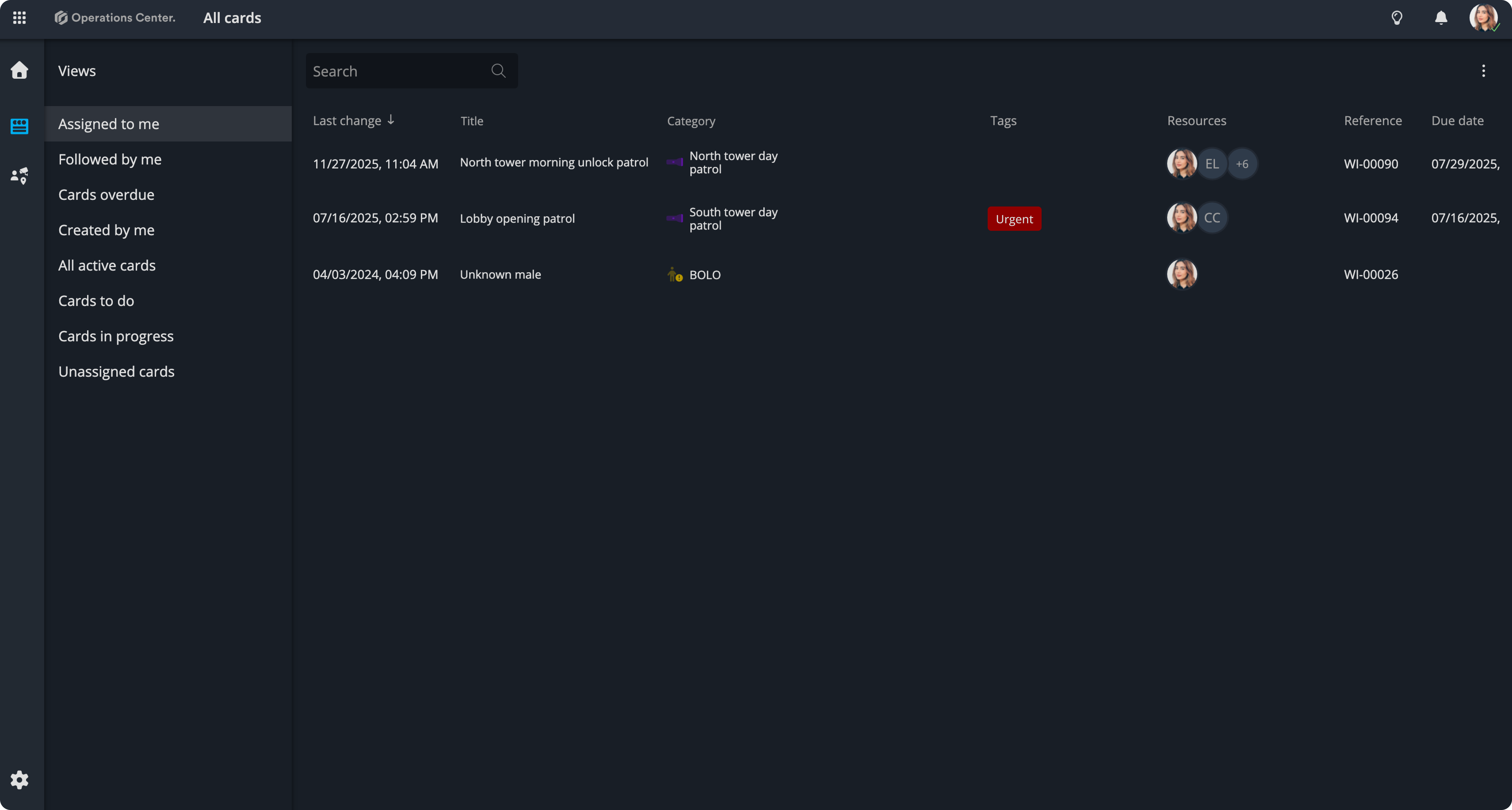
- Resources (Improved accessibility) :
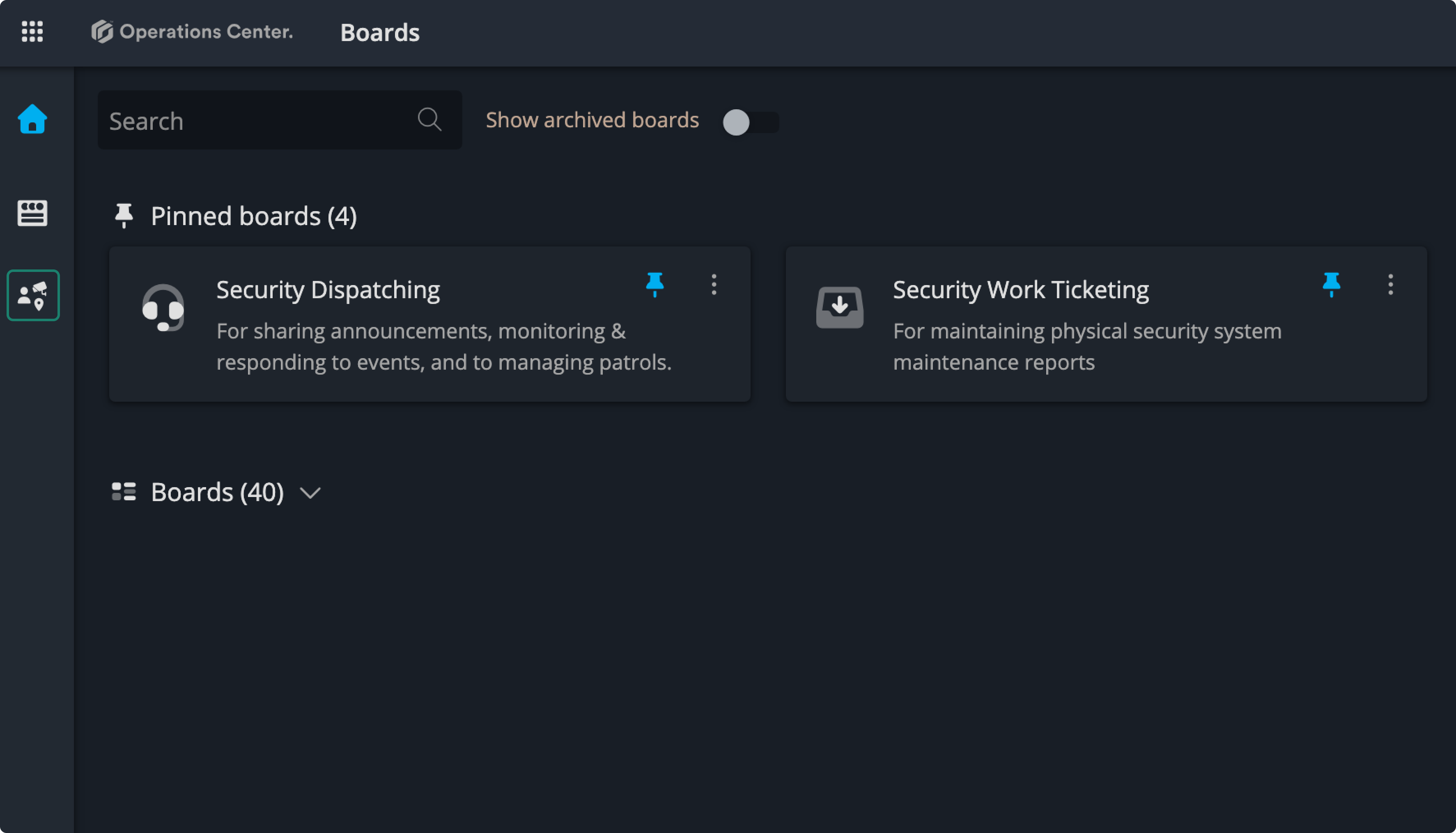
Better resource assignment
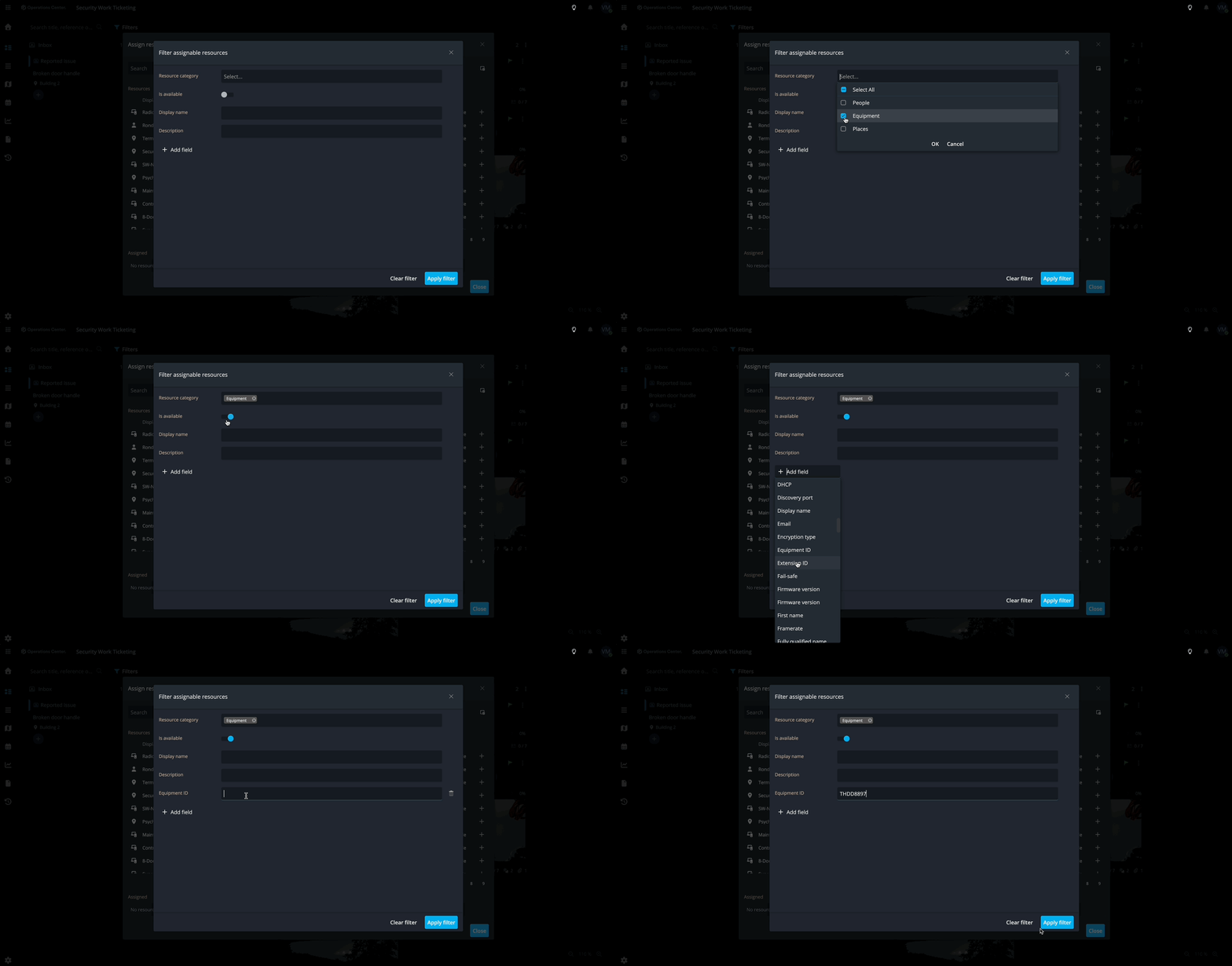
Assigning resources is now easier with new filtering options in the resource assignment popups, helping you find exactly what you need in less time.
Resource Sync: Keep systems aligned
With Resource Sync, entities from Security Center are automatically synchronized as resources in Operations Center. This ensures that your people, places, and locations stay up to date across systems without manual updates.
The new entities available for automatic sync are: Doors, Readers, Intrusion units.
Bug Fixes & Maintenance
We’ve also included standard bug fixes and performance improvements to keep everything running smoothly.
Contact Support
If you have questions or need assistance, please reach out to our support team via OC-Support@genetec.com.