
Seemless flow with Security Center SaaS
With Security Center SaaS Premium, users get instant access to a unified Operations Center, complete with a preconfigured work ticketing board. This out-of-the-box experience enables teams to begin managing work immediately, with no setup or delays. Whether it’s reporting a camera issue or requesting officer assistance, users can act quickly and keep their environments secure from day one.
The plugin is automatically installed and configured during the initial setup, the required role is added, the service user is linked, and the integration activates without any manual steps. No operator action is needed to get started.
Important Limitations:
- User Access: Limited to 5 users in Operations Center under the Premium plan
- Service User Restriction: Only 1 service user, already linked to the SC SaaS instance, no additional integrations supported.
A service user is a special account for system-to-system connections (like APIs or integrations), not for people to log in, and it comes with a one-time Client ID and Secret. Read our dedicated article on Service users to learn more.
- Configuration Restrictions: No system-level customization (e.g., categories, tags, custom fields, checklist templates)
- Reports and stats Limitations: No support for custom dashboards or reporting.
One-Click Work Request from Security Center SaaS
From issue to action in seconds, no context lost, no time wasted.
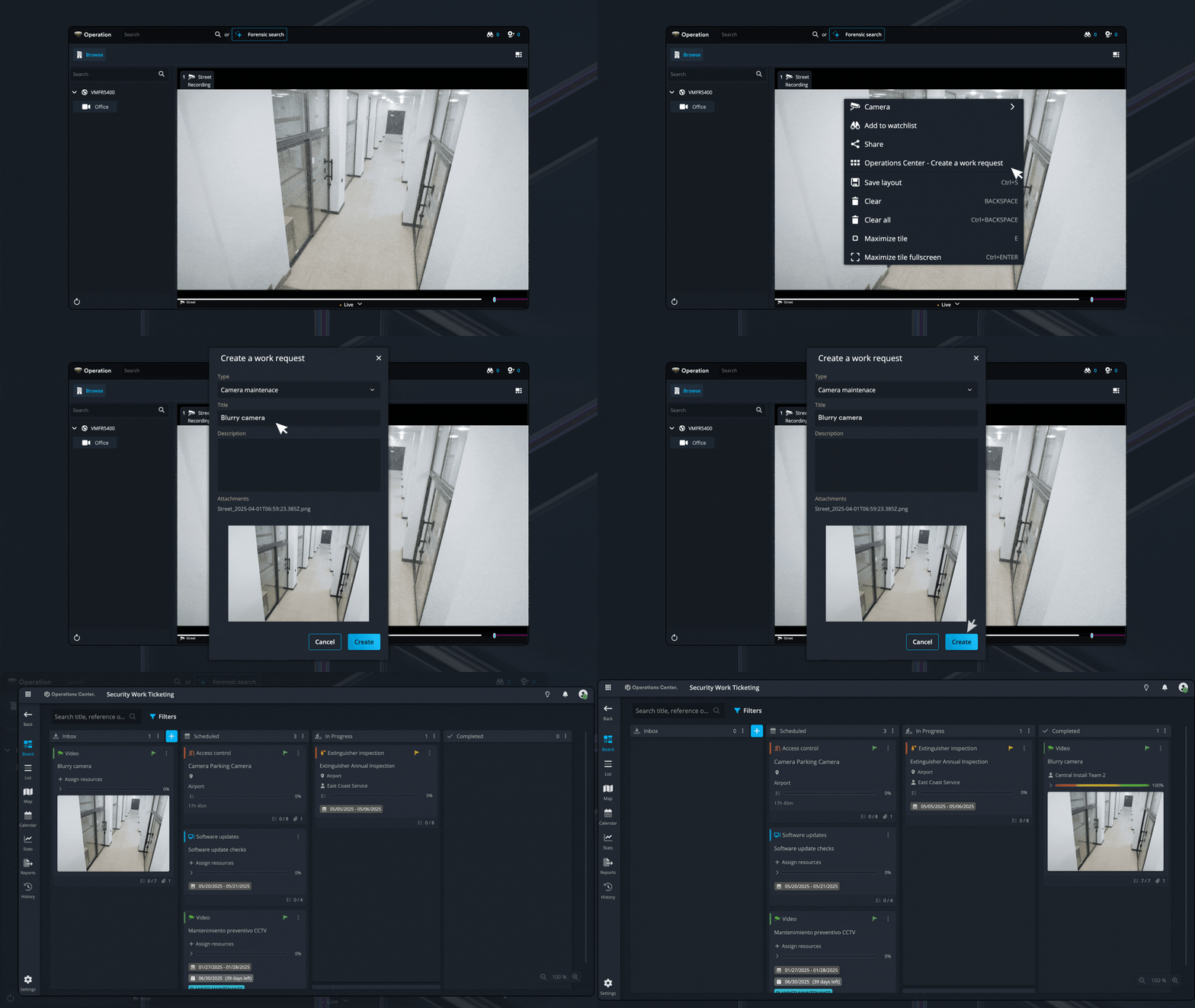
When a Security Center SaaS operator identifies an issue (such as a blurry feed or offline device), they can right-click and select “Create Work Request”. This opens a built-in form where:
- A snapshot of the issue is auto attached
- The operator adds a short description
- A work item is created on the default Operations Center board and the appropriate team is notified
Operators never need to leave the SC interface. The entire workflow happens inside the platform.
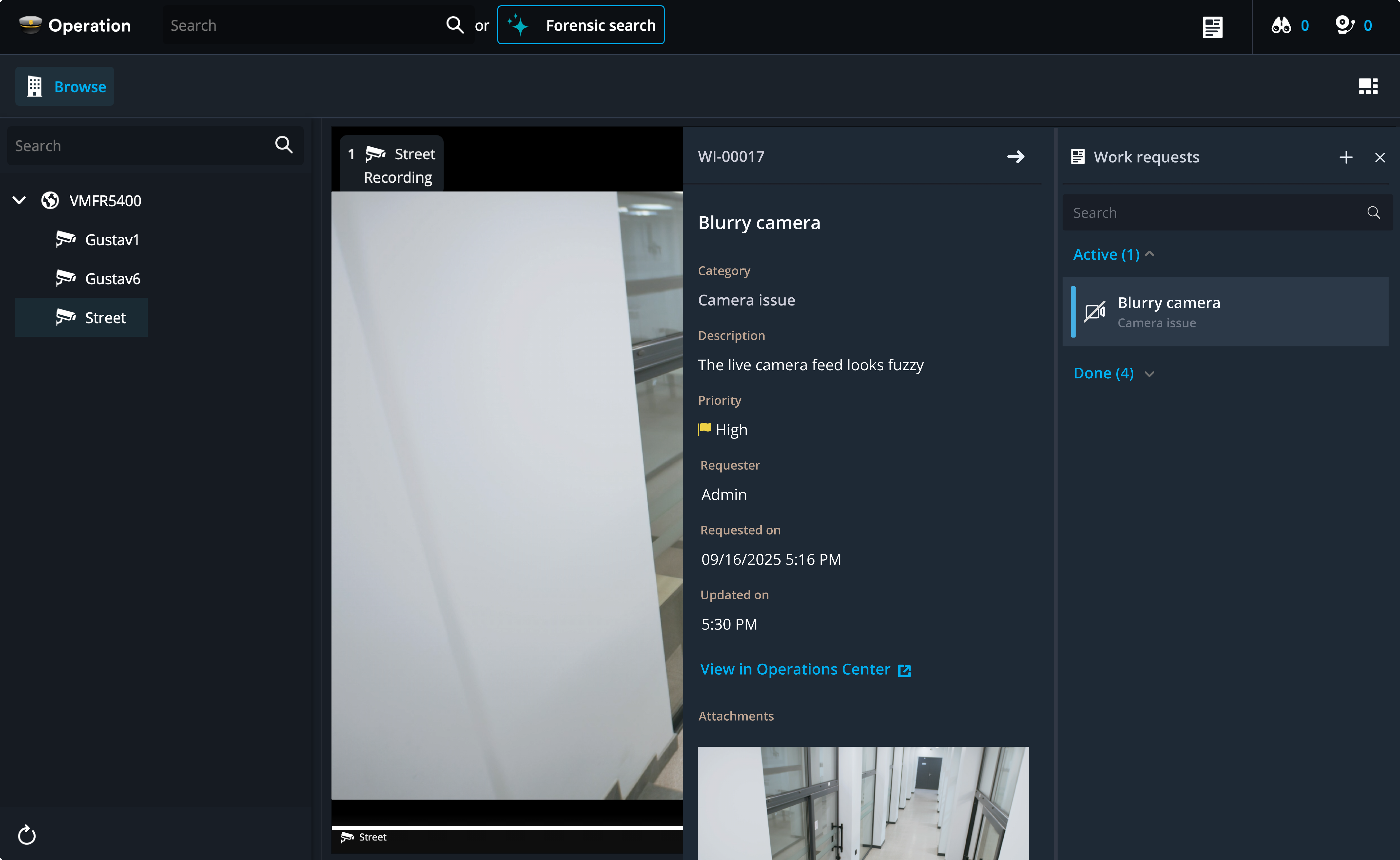
Enhanced side panel
Displays all work requests, grouped by their status (Active or Done), and displays details for the selected item, including category, description, priority, requester, timestamps, attachments, and a link to view in Operations Center.
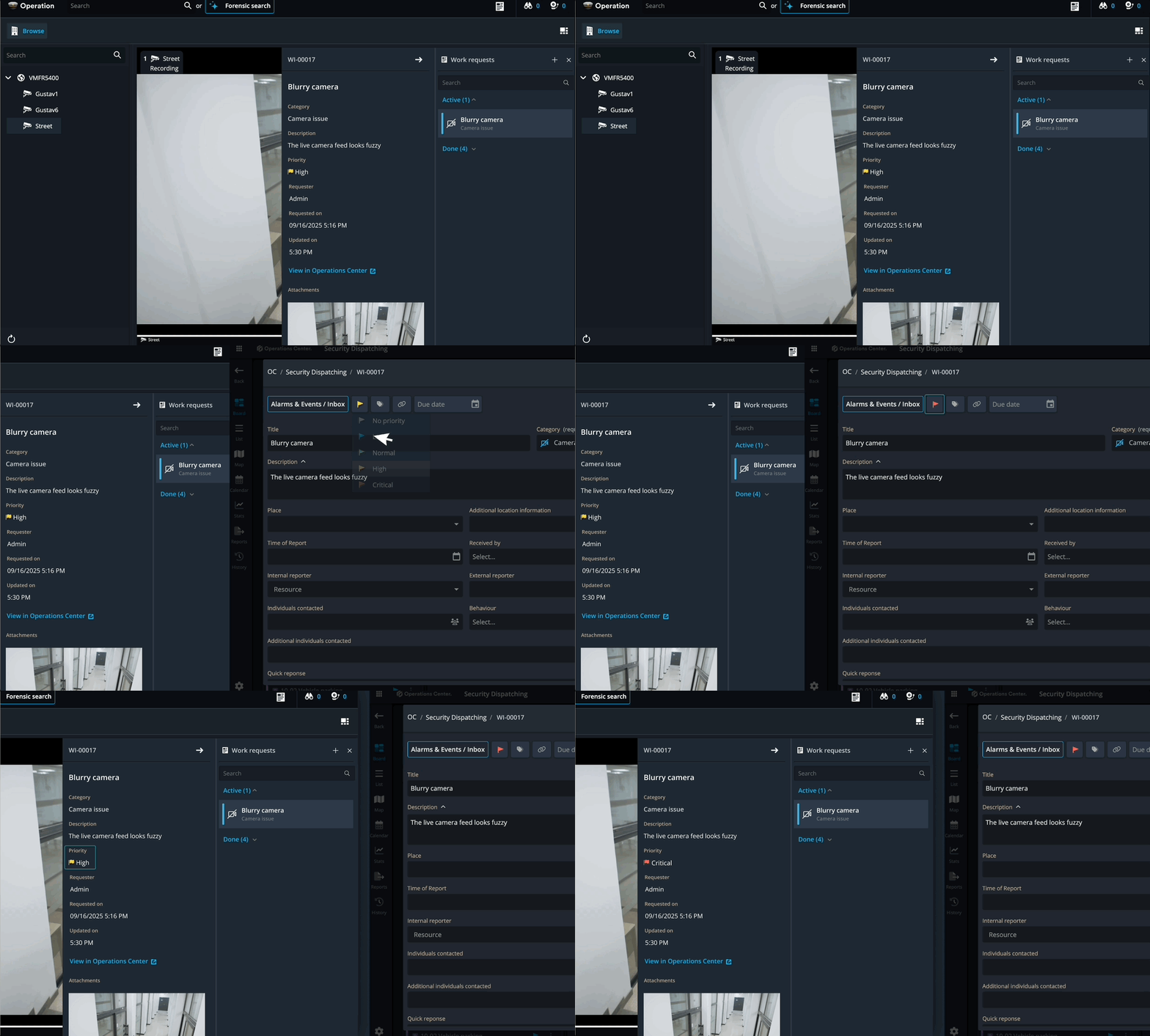
Work request details are updated automatically whenever a change is made to the card in Operations Center.
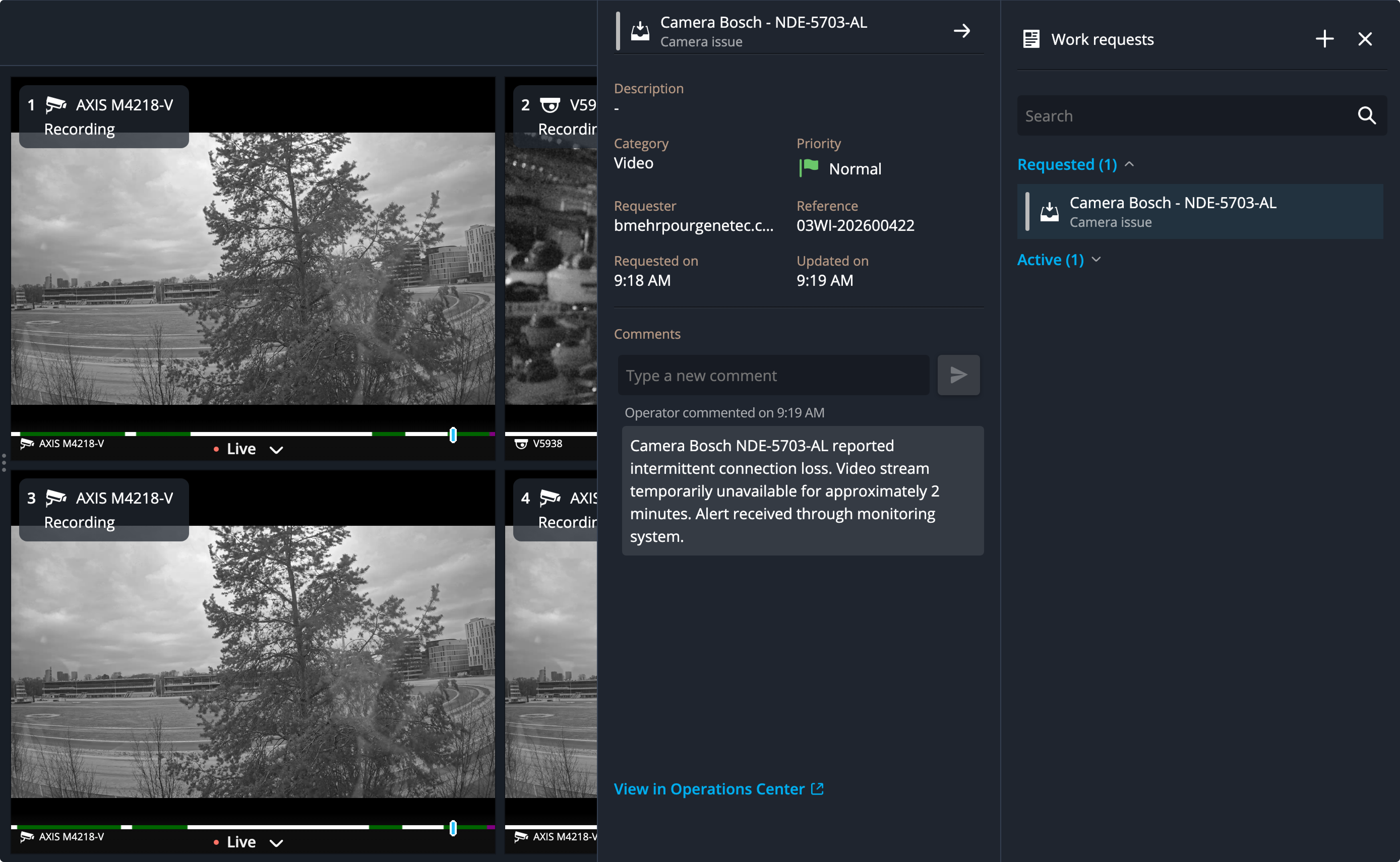
In-Card Comments
Operators will be able to leave comments directly in SC SaaS. These will appear in Operations Center under a designated service user identity, making async collaboration simple and traceable.
To learn how to create and configure your own board in Operations Center, and connect it seamlessly with Security Center SaaS, continue to the next article, where we walk through the setup process step by step.
Contact Support
If you have questions or need assistance, please reach out to our support team via OC-Support@genetec.com.